


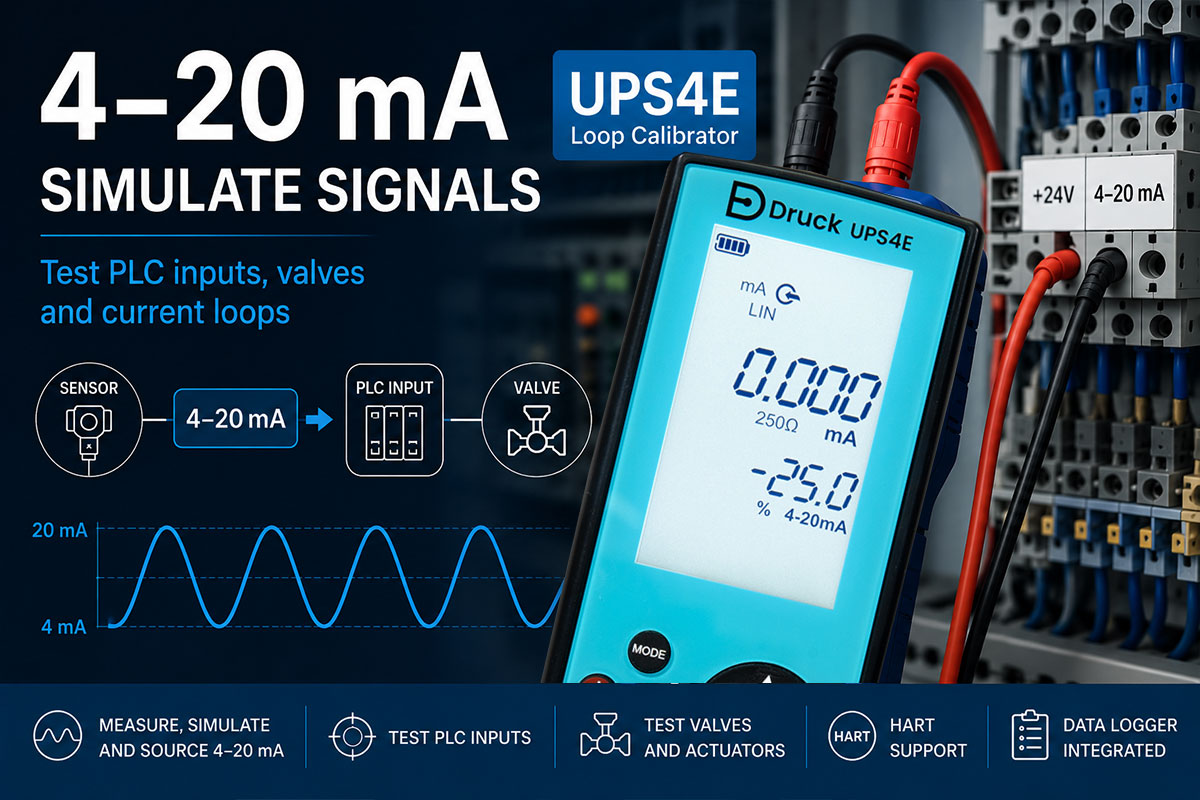
When troubleshooting industrial measurement and control systems, the first step is often to take measurements: Is a current signal present? Is a value reaching the PLC? Is the control system responding? While these measurements are important, they are often not sufficient to clearly identify the actual source of a fault.
Diagnostics become significantly faster when a defined 4–20 mA signal is simulated. In this process, a loop calibrator temporarily replaces the sensor or transmitter and generates specific values such as 4 mA, 12 mA, or 20 mA. This makes it possible to verify whether PLC inputs, indicators, controllers, valves, or complete current loops are responding correctly.
With a loop calibrator such as the UPS4E, 4–20 mA signals can not only be measured but also simulated and sourced. This allows faults in sensors, wiring, and control systems to be isolated much more quickly.
This article explains what 4–20 mA signal simulation is, when it is useful, and how it can be applied when troubleshooting PLC inputs, valves, and current loops.
Table of Contents
- What Is 4–20 mA Signal Simulation?
- Why Is Measurement Alone Often Not Enough?
- Which Devices Can Simulate 4–20 mA Signals?
- Testing PLC Inputs
- Testing Valves and Actuators
- Maintenance Case Study
- Common Errors During Signal Simulation
- Multimeter or Loop Calibrator?
- FAQ
What Is 4–20 mA Signal Simulation?
During 4–20 mA signal simulation, a calibrator generates a defined current signal and temporarily takes over the role of a sensor or transmitter. To the connected PLC, indicator, or control system, it appears as if a real field sensor is providing an actual process signal.
This allows plant components to be tested independently of the sensor itself. Faults can be identified much more quickly because the entire signal chain can be checked in a targeted manner.
For example, if a current of 12 mA is simulated, the PLC should display the corresponding process value exactly. If it does not, the cause is often related to configuration, wiring, or the analog input itself.
Typical Simulated Signal Values
| Simulated Current | Equivalent To |
|---|---|
| 4 mA | 0% of measuring range |
| 8 mA | 25% of measuring range |
| 12 mA | 50% of measuring range |
| 16 mA | 75% of measuring range |
| 20 mA | 100% of measuring range |
In practice, signal simulation is frequently used during commissioning of new systems, troubleshooting PLC inputs, testing control valves, and verifying complete 4–20 mA current loops.
Using the UPS4E Loop Calibrator, these signals can be generated quickly and accurately. This makes it possible to determine whether a fault actually originates from the sensor or must be investigated elsewhere in the system.
Why Is Measurement Alone Often Not Enough?
When troubleshooting, the first step is often to verify whether a 4–20 mA signal is present at all. While this measurement provides valuable information, it does not always answer the most important question: Where is the actual source of the fault?
For example, even if a pressure transmitter outputs a correct current signal, this does not automatically mean that the PLC is processing the value correctly. Likewise, incorrect readings in a control system may be caused by wiring issues, incorrect scaling, or a faulty analog input.
This is where signal simulation offers a significant advantage. By injecting a defined current signal, individual components can be tested independently of one another.
Measure or Simulate?
| Task | Measure | Simulate |
|---|---|---|
| Check sensor | ✓ | ✗ |
| Test PLC input | ✗ | ✓ |
| Verify wiring | Partially | ✓ |
| Commissioning systems | ✗ | ✓ |
| Test control valves | ✗ | ✓ |
| Identify fault source | Limited | ✓ |
Practical Example
A PLC continuously displays an incorrect pressure value. Measuring the pressure transmitter reveals a correct output signal of 12 mA. Without additional testing, it remains unclear whether the fault lies within the sensor, the wiring, or the PLC.
If a loop calibrator is then used to inject a 12 mA signal directly into the PLC input and the PLC still displays an incorrect value, the pressure transmitter can immediately be ruled out as the cause.
This approach often reduces troubleshooting time from several hours to just a few minutes. For this reason, signal simulation has become one of the most important methods used in service, maintenance, and commissioning of industrial systems.
Which Devices Can Simulate 4–20 mA Signals?
There are several ways to generate or simulate a 4–20 mA signal. However, not all devices are equally suitable for troubleshooting, commissioning, or calibrating industrial systems.
Choosing the right test instrument often determines how quickly the root cause of a fault can be identified.
Multimeters
A conventional multimeter is an excellent tool for measuring current and voltage. However, most multimeters cannot generate or simulate defined 4–20 mA signals.
While they are sufficient for basic measurement tasks, they are of limited use when testing PLC inputs, control valves, or actuators.
Specialized PLC Test Equipment
Dedicated PLC test systems are sometimes used for extensive commissioning and testing tasks. These systems provide a wide range of functions but are often significantly more expensive and complex than required for routine maintenance work.
For field service applications, compact and portable solutions are generally preferred.
Loop Calibrators
Loop calibrators are specifically designed for working with 4–20 mA signals. They combine measurement, simulation, and testing functions in a single device, enabling fast diagnosis of sensors, control systems, and current loops.
A typical example is the UPS4E Loop Calibrator, which is designed for both maintenance and commissioning applications.
Key Functions of a Modern Loop Calibrator
| Function | Benefit |
|---|---|
| 4–20 mA measurement | Testing sensors and transmitters |
| Signal simulation | Testing PLC inputs and indicators |
| 24 V loop power supply | Powering passive transmitters |
| Voltage measurement | Diagnosing power supply issues |
| HART support | Simplified commissioning of modern instrumentation |
| Data logger | Recording and documenting measurements |
The UPS4E combines all of these functions in a compact handheld device, allowing technicians to test sensors, PLC inputs, valves, and complete current loops directly in the field.
Detailed technical information can be found on the UPS4E product page and in the UPS4E datasheet.
Testing PLC Inputs
One of the most common applications of 4–20 mA signal simulation is testing PLC analog inputs. When incorrect process values occur, it is often unclear whether the problem originates from the sensor, the wiring, or the control system itself.
By simulating defined current values, the sensor can immediately be ruled out as a potential fault source. The PLC receives exactly the same signals that would normally be generated by the actual transmitter.
Step 1: Disconnect the Sensor
First, disconnect the sensor or transmitter from the analog input. This ensures that only the PLC and the connected wiring are being tested.
Step 2: Connect the Loop Calibrator
Next, connect the UPS4E Loop Calibrator in place of the sensor.
You can now simulate any desired current value.
Step 3: Inject Reference Values
Several known signal values are typically used for verification.
| Simulated Current | Expected PLC Value |
|---|---|
| 4 mA | 0% of measuring range |
| 12 mA | 50% of measuring range |
| 20 mA | 100% of measuring range |
The values displayed by the PLC should match the configured scaling exactly.
Interpreting the Results
| Observation | Possible Cause |
|---|---|
| Display is correct | PLC input is functioning properly |
| Display is too high or too low | Incorrect scaling configuration |
| No display | Check wiring or analog input |
| Unstable display | Possible contact or EMC issues |
Benefits During Commissioning
Signal simulation is not only useful for troubleshooting. During the commissioning of new systems, PLC programs, visualizations, and alarm functions can be tested before the actual sensors are installed.
This allows many problems to be identified and corrected at an early stage, reducing commissioning time and helping to bring the system online faster.
Using a loop calibrator such as the UPS4E, PLC inputs can be verified within minutes. This saves time, reduces troubleshooting effort, and provides a clear distinction between sensor, wiring, and control system issues.
Testing Valves and Actuators
In addition to PLC inputs, 4–20 mA signal simulation can also be used to test valves, dampers, variable frequency drives, and other actuators. These devices often receive an analog current signal as a setpoint and convert it into a mechanical movement or process change.
When a valve does not regulate correctly or a damper fails to reach the desired position, it is often unclear whether the problem originates from the control signal or from the actuator itself.
By simulating defined current values, this question can be answered quickly and reliably.
Typical Applications
- Control valves
- Positioning valves
- Motorized dampers
- Variable frequency drives
- Actuators
- Metering pumps
Functional Testing with Simulated Signals
For testing purposes, the existing input signal is disconnected and replaced by a loop calibrator. Different current values are then generated while the response of the actuator is observed.
| Signal | Typical Valve Position |
|---|---|
| 4 mA | 0% / Closed |
| 12 mA | 50% Open |
| 20 mA | 100% Open |
The actual relationship depends on the configuration of the system. However, many installations use this linear scaling.
Practical Example
A control valve responds very slowly to load changes. The control room initially suspects a fault in the PLC or controller.
Using the UPS4E Loop Calibrator, 4 mA, 12 mA, and 20 mA signals are simulated one after another.
The result: the valve only moves in the upper operating range and hardly responds to smaller signal changes. This indicates that the fault is not located in the PLC but rather in the actuator or its mechanical components.
Benefits of Signal Simulation
| Benefit | Value |
|---|---|
| Fast functional testing | Identify fault sources more quickly |
| Direct actuator control | Eliminate the PLC as a possible cause |
| Testing multiple setpoints | Verify performance across the entire operating range |
| Simplified commissioning | Test actuators before plant startup |
For valves and actuators in particular, signal simulation can save a significant amount of time. Instead of waiting for actual process conditions, defined setpoints can be generated at any time, allowing the system response to be checked immediately.
Maintenance Case Study
A typical application for 4–20 mA signal simulation is the rapid identification of faults in existing process plants. When several components are involved, troubleshooting can become very time-consuming without the proper test equipment.
The following example demonstrates how a fault can be located within just a few minutes.
Initial Situation
In a production facility, the PLC suddenly reports highly unstable pressure readings. The displayed values fluctuate between 30 and 55 bar, even though operators confirm that the actual process conditions have not changed.
Since the pressure transmitter was installed only a few months ago, there is uncertainty as to whether the sensor itself is faulty or whether another component is responsible.
Initial Suspicion: Faulty Pressure Transmitter
The output current of the pressure transmitter is measured. At first glance, the readings appear plausible, but it is still impossible to completely rule out an intermittent sensor fault.
Replacing the transmitter would involve both time and cost and may not solve the actual problem.
Signal Simulation with the UPS4E
To test the PLC independently of the sensor, the pressure transmitter is disconnected and replaced by a UPS4E Loop Calibrator.
Defined current values are then simulated.
| Simulated Current | Expected Value | Displayed Value |
|---|---|---|
| 4 mA | 0 bar | 0 bar |
| 12 mA | 50 bar | 50 bar |
| 20 mA | 100 bar | 100 bar |
Test Results
The PLC processes all simulated values correctly. This immediately rules out both the analog input and the PLC configuration as potential fault sources.
Further investigation can now focus entirely on the measurement loop itself.
Actual Cause
During inspection of the wiring, a damaged terminal connection is discovered. The loose connection causes intermittent signal interruptions, resulting in the fluctuating pressure readings displayed by the PLC.
After replacing the terminal, the system operates normally again.
Why Signal Simulation Saves Time
| Without Signal Simulation | With Signal Simulation |
|---|---|
| Replace pressure transmitter | Immediately eliminate the sensor as a fault source |
| Multiple components remain suspect | Rapidly narrow down the fault area |
| Longer system downtime | Faster diagnosis |
| Higher service costs | Avoid unnecessary work |
This example highlights the greatest advantage of 4–20 mA signal simulation: instead of relying on assumptions, individual components can be tested directly. As a result, troubleshooting becomes significantly more efficient and unnecessary component replacements can be avoided.
Common Errors During Signal Simulation
Simulating 4–20 mA signals is generally straightforward. However, certain mistakes occur repeatedly in practice and can lead to incorrect test results or misdiagnosis.
Understanding these common pitfalls helps technicians perform troubleshooting more efficiently and avoid unnecessary testing.
Confusing Active and Passive Current Loops
One of the most common mistakes is failing to distinguish between active and passive current loops.
In a passive current loop, the sensor or calibrator requires an external power supply. Active devices, on the other hand, provide the required loop power themselves.
If the wrong operating mode is selected, no current may flow at all.
Incorrect Polarity
Reversed positive and negative connections frequently result in missing measurements or complete signal transmission failure.
For this reason, wiring and terminal connections should always be checked before testing begins.
Incorrect PLC Scaling
Even when the simulation itself is performed correctly, the PLC may still display incorrect values. In many cases, the cause is incorrect scaling of the analog input.
Under these conditions, the simulated current values are correct but are interpreted incorrectly by the control system.
Open Current Loop
Loose terminals, damaged cables, or corroded connections can prevent the current loop from being properly closed.
The result is often missing signals or unstable readings.
Power Supply Not Checked
Many technicians focus exclusively on the current signal during troubleshooting and overlook the supply voltage.
An insufficient or unstable power supply can create a wide variety of symptoms that resemble sensor or control system faults.
Typical Problems at a Glance
| Symptom | Possible Cause |
|---|---|
| No PLC indication | Check wiring or polarity |
| No current flow | Current loop is open |
| Incorrect process value | PLC scaling error |
| Signal fluctuates | Connection issue or EMC interference |
| No actuator response | Check wiring or actuator |
| Simulation does not work | Verify active/passive loop configuration |
In many cases, faults can be identified quickly through a structured troubleshooting approach. Therefore, it is recommended to check the current loop, power supply, and configuration settings before replacing any components.
Multimeter or Loop Calibrator?
For basic electrical measurements, a multimeter is part of the standard toolkit of most service technicians. However, when troubleshooting 4–20 mA current loops, it quickly reaches its limits.
While a multimeter can measure current and voltage, it generally cannot generate defined 4–20 mA signals. Yet this capability is essential when testing PLC inputs, control valves, or complete measurement loops.
Loop calibrators are specifically designed for these applications. They not only measure current signals but can also simulate and source them.
| Function | Multimeter | UPS4E |
|---|---|---|
| Measure 4–20 mA signals | ✓ | ✓ |
| Simulate 4–20 mA signals | ✗ | ✓ |
| Source 4–20 mA signals | ✗ | ✓ |
| 24 V loop power supply | ✗ | ✓ |
| Test PLC inputs | ✗ | ✓ |
| Test valves and actuators | ✗ | ✓ |
| HART support | ✗ | ✓ |
| Data logger | ✗ | ✓ |
When Is a Multimeter Sufficient?
A multimeter is an excellent choice when the goal is simply to verify whether a current signal or supply voltage is present.
For basic electrical troubleshooting, it remains an indispensable tool in everyday maintenance work.
When Is a Loop Calibrator the Better Choice?
Whenever signals need to be simulated, PLC inputs tested, or valves driven directly, a loop calibrator offers significant advantages.
With a UPS4E Loop Calibrator, defined values such as 4 mA, 12 mA, or 20 mA can be generated with precision. This makes it possible to test the entire signal chain without relying on the actual sensor.
Especially during troubleshooting, this capability often saves considerable time, since sensors, wiring, PLCs, and actuators can all be tested independently.
FAQ – Simulating 4–20 mA Signals
What does 4–20 mA signal simulation mean?
During signal simulation, a calibrator generates a defined current value and temporarily replaces a sensor or transmitter. This allows PLC inputs, indicators, and actuators to be tested independently of the actual sensor.
Why should 4–20 mA signals be simulated?
Signal simulation makes it possible to identify faults much more quickly. It helps determine whether the problem originates from the sensor, the wiring, or the PLC.
Can I test a PLC input using signal simulation?
Yes. This is one of the most common applications. By injecting defined current values, it is easy to verify whether the PLC processes the signals correctly.
Can I also test valves using signal simulation?
Yes. Control valves, dampers, actuators, and other final control elements can be driven directly using simulated current signals. This allows their performance to be verified throughout the entire operating range.
Can a multimeter simulate 4–20 mA signals?
Most multimeters can only measure current signals. Simulating or sourcing defined 4–20 mA values generally requires a dedicated loop calibrator.
What is the difference between measuring and simulating?
Measurement verifies an existing signal. Simulation generates a defined signal and temporarily replaces the sensor. This makes it possible to test downstream components independently.
How do I test an analog input?
Disconnect the sensor from the analog input and connect a loop calibrator instead. Inject defined values such as 4 mA, 12 mA, and 20 mA, then compare them with the values displayed by the PLC.
Which devices are suitable for signal simulation?
Professional applications typically use loop calibrators, which combine measurement, simulation, and loop power functions in a single instrument.
Can I test HART transmitters as well?
Yes. Many modern loop calibrators support HART applications. For example, the UPS4E features an integrated 250 Ω HART resistor.
Which loop calibrator is suitable for this application?
For maintenance, commissioning, and troubleshooting, a calibrator should be capable of measuring, simulating, and sourcing current signals. The UPS4E Loop Calibrator was specifically designed for these applications and also provides an integrated 24 V loop power supply, HART support, and data logging capabilities.
Where can I find additional information about the UPS4E?
Detailed technical information is available on the UPS4E product page and in the UPS4E datasheet.