


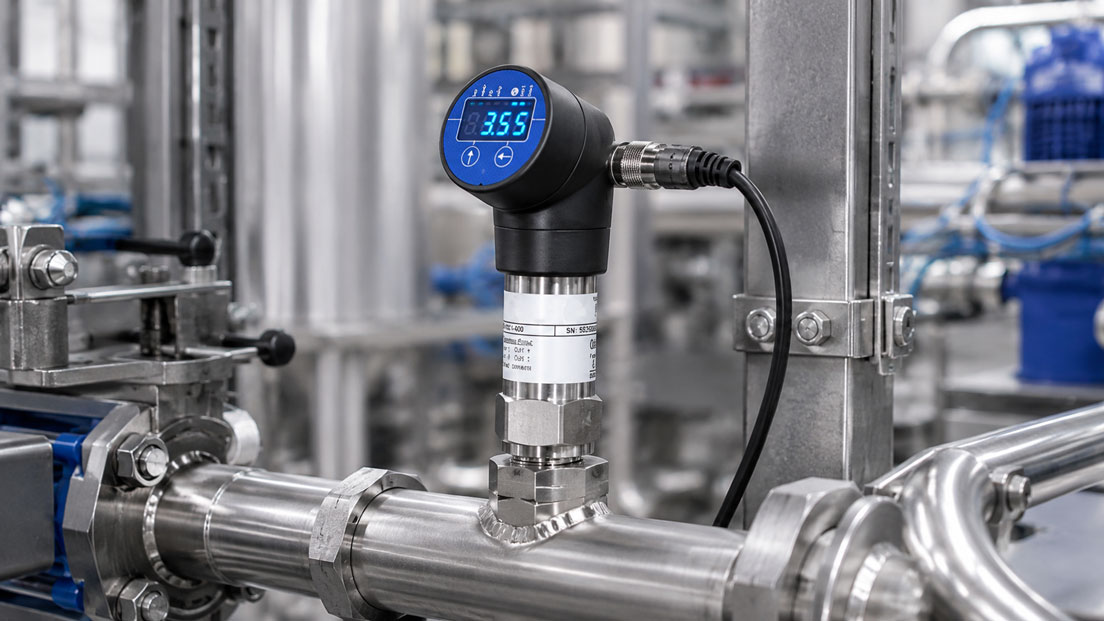
A pressure sensor sends 6.42. An energy meter provides 18450. A temperature transmitter sends 72.3. Technically, all three values have arrived correctly at the MQTT broker. However, one crucial piece of information is missing: What do these numbers mean?
Without a clear measuring-point designation, unit, timestamp and quality status, interpretation problems arise even in small IIoT projects. As soon as multiple plants, locations and manufacturers are connected, inconsistent MQTT topics lead to complicated evaluations, incorrect alarms and considerable effort whenever the system is expanded.
A good MQTT data model must therefore be defined before the first productive measuring point is implemented. Choosing an understandable topic name alone is not sufficient. Topic hierarchy, payload, unit, data type, timestamp, quality information, retain behaviour, QoS and status messages must work together.
Suitable solutions for connecting field devices, edge gateways and MQTT infrastructures can be found under IIoT Solutions. Measuring instruments and components for acquiring electrical and process measurement values are grouped under Measuring Instruments for Control Panels.
Table of Contents
- What is the purpose of an MQTT topic?
- Building the topic hierarchy according to plant and measuring point
- Using stable names and IDs
- Separating measurement values, status, events and commands
- Which information belongs in the payload?
- Defining units unambiguously
- Using data types consistently
- Setting timestamps correctly
- Including a quality status for every measurement value
- Do not confuse measurement quality with MQTT QoS
- Using retained messages appropriately
- Using Birth and Last Will for device status
- Strictly separating measurement values and commands
- Versioning topic structures
- One measurement value per topic or multiple values per payload?
- Considering wildcards during topic design
- When is Sparkplug useful?
- Considering permissions and security in the topic model
- Recommended planning procedure
- Practical example for a production plant
- Typical errors in MQTT topic design
- What should be included in the topic documentation?
- Which products and solutions are suitable?
- Conclusion
- Frequently asked questions
What is the purpose of an MQTT topic?
MQTT operates according to the publish-subscribe principle. A publisher sends a message to a topic. The MQTT broker then distributes this message to all clients that have subscribed to a matching topic.
A topic could, for example, be:
plant01/line02/pump07/pressure
The topic therefore primarily describes where the message belongs or to which logical measuring point it is assigned.
The actual measurement data is contained in the payload.
Example:
{
  "value": 6.42,
  "unit": "bar",
  "timestamp": "2026-08-07T07:15:42.381Z",
  "quality": "good"
}
MQTT itself does not define how industrial plants, sensors or measurement values must be organised within topic names. This structure must therefore either be defined specifically for the project or standardised using a higher-level data model such as Sparkplug.
This flexibility is one of MQTT’s advantages, but without clear rules it quickly results in different structures within the same plant.
Building the topic hierarchy according to plant and measuring point
A good topic should represent the physical or functional plant structure in a comprehensible manner.
One possible structure is:
site/{location}/area/{area}/line/{line}/device/{device}/telemetry/{measurand}
A specific topic could therefore be:
site/berlin/area/hall2/line/line03/device/pump07/telemetry/discharge_pressure
The hierarchy can be interpreted as:
- Location: Berlin,
- Area: Hall 2,
- Line: Line 3,
- Device: Pump 7,
- Data class: Telemetry,
- Measurand: Discharge pressure.
This structure is particularly useful when the system later has to manage not just one measurement value but several hundred or several thousand measuring points.
However, the hierarchy should not become unnecessarily deep. A structure with twelve or fifteen levels makes administration, wildcard subscriptions and troubleshooting more difficult.
The decisive point is that each level should have a permanently relevant organisational or technical meaning.
Using stable names and IDs
Topic names should preferably consist of stable technical identities.
An unsuitable example would be:
hall_next_to_warehouse/new_pump/pressure
If the hall is renamed or the pump is replaced, the entire data structure changes.
Stable designations such as the following are better:
site01/area03/pump07/telemetry/pressure
A human-readable description can additionally be stored as metadata:
{
  "device_id": "pump07",
  "display_name": "Cooling Water Pump Machine Tool 4",
  "manufacturer": "Example",
  "location": "Hall 2 North"
}
Project-wide rules should be defined for the naming convention. Recommended rules include:
- use lowercase letters only,
- avoid spaces,
- use one language consistently for terminology,
- do not mix technical IDs with freely editable display names,
- do not use a serial number as the sole plant structure,
- do not include changing process values in topic names.
MQTT topic names are also case-sensitive. pump07 and Pump07 are therefore different topics.
Separating measurement values, status, events and commands
One of the most important decisions is to clearly separate different types of information within the topic structure.
A useful structure could, for example, be:
site01/area03/pump07/telemetry/pressure
site01/area03/pump07/telemetry/temperature
site01/area03/pump07/status/availability
site01/area03/pump07/status/device
site01/area03/pump07/event/alarm
site01/area03/pump07/meta
site01/area03/pump07/cmd/setpoint
site01/area03/pump07/ack/setpoint
The topic itself then already indicates whether a message:
- contains a measurement value,
- describes the current device status,
- reports an event,
- provides metadata,
- contains a control command,
- represents a command acknowledgement.
This separation also makes it easier to assign access rights. A dashboard may, for example, be allowed to read telemetry data but normally does not require write access to command topics.
Which information belongs in the payload?
The payload contains the actual content of the MQTT message.
For an industrial measurement value, at least the following should be clearly defined:
- measurement value,
- unit,
- timestamp,
- quality status.
A simple JSON example:
{
  "value": 6.42,
  "unit": "bar",
  "timestamp": "2026-08-07T07:15:42.381Z",
  "quality": "good"
}
Additional information can be included if required:
{
  "value": 6.42,
  "unit": "bar",
  "timestamp": "2026-08-07T07:15:42.381Z",
  "quality": "good",
  "sequence": 18422,
  "source": "PT204",
  "range_min": 0,
  "range_max": 10
}
However, it is not useful to transmit extensive static device information with every individual measurement value.
Manufacturer, device type, measuring range, firmware and calibration date can, for example, be published separately as metadata.
Defining units unambiguously
A number without a unit is not an unambiguously interpretable measurement value.
This becomes particularly problematic for quantities such as:
- pressure in bar, kPa, MPa or psi,
- temperature in °C or K,
- flow in l/min, m³/h or Nm³/h,
- energy in Wh, kWh or MWh,
- power in W or kW.
The unit should therefore be clearly defined throughout the project.
A common approach is to store the unit in the payload or metadata:
{
  "value": 6.42,
  "unit": "bar"
}
A structure such as:
pump07/pressure/bar
is less flexible. If the data storage is later standardised to kPa, the topic would have to change at the same time.
This is undesirable because existing subscriptions, dashboards and alarm rules would also have to be modified.
The unit therefore normally belongs to the data model rather than to the identity of the measuring point.
It should also be defined whether values are already converted into project-wide standard units at the edge gateway.
This prevents situations where:
- Sensor A provides pressure in bar,
- Sensor B provides pressure in kPa,
- Sensor C provides pressure in psi
and the conversion has to be implemented again in every individual application.
Using data types consistently
The data type must also be unambiguous within the data model.
A measurement value should not, for example, be transmitted as a number in one message and as text in the next.
Unsuitable:
{
  "value": "6.42"
}
Better:
{
  "value": 6.42
}
Other typical data types include:
- floating point for analogue measurement values,
- integer for counter readings,
- boolean for binary states,
- string for status or diagnostic information.
Missing or invalid measurement values should not simply be replaced by the numerical value 0.
0 bar is a technically valid pressure value. If the same value is also used to indicate a communication error, the evaluation system can no longer distinguish between the two conditions.
A better approach is, for example:
{
  "value": null,
  "unit": "bar",
  "quality": "bad",
  "reason": "sensor_timeout"
}
Setting timestamps correctly
A measurement value without a timestamp only describes which value was transmitted at some point.
This difference is hardly noticeable in real-time dashboards at first. However, after a network failure or store-and-forward transmission, it becomes critical.
The timestamp should preferably be generated where the measurement value is actually acquired or can be clearly assigned in time.
Example:
"timestamp": "2026-08-07T07:15:42.381Z"For distributed systems, a uniform time base, typically UTC, is recommended.
The target system can additionally record a second timestamp:
- Source Timestamp: Time at which the measurement value was acquired,
- Server Timestamp: Time at which the value was received by the broker, historian or SCADA system.
This distinction is particularly useful for:
- cellular connections,
- temporary network outages,
- edge buffering,
- store-and-forward,
- time-critical event analysis.
The edge gateway, PLC and server should use suitable time synchronisation for this purpose.
Including a quality status for every measurement value
A measurement value may have been transmitted successfully while still being invalid for process evaluation.
Examples:
- sensor is outside its measuring range,
- Modbus communication with the field device has failed,
- measurement value was frozen during maintenance,
- sensor is in a fault condition,
- value was manually substituted,
- timestamp is not trustworthy.
The quality status should therefore not be derived solely from the fact that an MQTT message has arrived.
A simple classification could be:
- good for valid measurement values,
- uncertain for values with limited reliability,
- bad for invalid values.
An additional reason can also be transmitted:
{
  "value": null,
  "unit": "°C",
  "timestamp": "2026-08-07T07:15:42.381Z",
  "quality": "bad",
  "reason": "communication_timeout"
}
Other useful status codes include:
- sensor_fault,
- out_of_range,
- communication_timeout,
- substituted,
- manual_override,
- stale_data.
This allows a dashboard to display an invalid measurement value differently from a genuine process value.
Do not confuse measurement quality with MQTT QoS
The quality status of a measurement value and MQTT Quality of Service serve different purposes.
Measurement Quality describes whether the process value is technically trustworthy.
MQTT QoS, by contrast, describes the delivery of an MQTT message between client and broker.
| MQTT QoS | Meaning | Typical application |
|---|---|---|
| QoS 0 | At most once | High-frequency trends where individual lost values are tolerable |
| QoS 1 | At least once | Normal measurement values, status information and important messages |
| QoS 2 | Exactly once | Special applications where the additional protocol overhead is justified |
QoS 1 therefore does not mean that the measurement value has good quality. A sensor fault can be transmitted perfectly reliably using QoS 1.
In practice, QoS 1 is a reasonable starting point for many industrial telemetry and status messages. For very high data rates, QoS 0 may be sufficient for continuous trends.
QoS 2 should only be used when the specific application justifies the additional communication overhead.
Using retained messages appropriately
With a retained message, the MQTT broker stores the last message published as retained for a topic. A new subscriber therefore immediately receives the most recently stored state.
This is useful, for example, for:
- device metadata,
- configurations,
- current online or offline status,
- current operating mode,
- certain slowly changing states.
Retained messages are not a substitute for a historian.
An event topic such as:
site01/area03/pump07/event/alarm
should normally not store every alarm message as retained. Otherwise, a new subscriber could interpret an old event as a current alarm.
A conscious decision must also be made for measurement values.
A retained current measurement value can be useful so that a dashboard immediately receives the last known state. However, the payload must then include a timestamp and quality status so that an old value is not mistaken for a current measurement.
Retain is usually not required for continuous raw-data streams.
Using Birth and Last Will for device status
An IIoT system should be able to determine whether a gateway or MQTT client is actually available.
A status topic can be used for this purpose:
site01/area03/gateway01/status/availability
When the connection is successfully established, the gateway can publish, for example:
{
  "state": "online",
  "timestamp": "2026-08-07T07:10:00Z"
}
In addition, a Last Will message is registered when the MQTT connection is established.
If the connection is unexpectedly interrupted, the broker can then automatically publish, for example:
{
  "state": "offline"
}
For status information, a retained message is useful because a newly connected SCADA or dashboard system can immediately determine whether the gateway was last reported as online or offline.
A comparable and more standardised state-management concept is one of the central functions of MQTT Sparkplug.
Strictly separating measurement values and commands
MQTT can distribute not only measurement values but also commands. This makes a clear separation particularly important.
Measurement value:
site01/area03/pump07/telemetry/speed
Command:
site01/area03/pump07/cmd/speed_setpoint
Acknowledgement:
site01/area03/pump07/ack/speed_setpoint
A command payload could, for example, contain:
{
  "value": 1450,
  "unit": "rpm",
  "request_id": "cmd-84721",
  "timestamp": "2026-08-07T07:20:12Z"
}
The acknowledgement contains the same request ID:
{
  "request_id": "cmd-84721",
  "status": "accepted",
  "timestamp": "2026-08-07T07:20:12.120Z"
}
This makes it possible to determine unambiguously which command was processed.
Momentary commands such as Start, Stop, Reset or Open Valve should normally not be published as retained messages. Otherwise, a newly connected device could receive and execute an old command again.
If an architecture intentionally uses a retained Desired State, this behaviour must be explicitly designed. Commands must then, among other things, be idempotent, authorised, time-limited and clearly acknowledgeable.
Versioning topic structures
An MQTT data model evolves over the course of a project.
It should therefore be defined from the outset how incompatible changes will be handled.
One option is to include a version identifier in the namespace:
v1/site01/area03/pump07/telemetry/pressure
For a fundamental change, a new structure can be introduced in parallel:
v2/site01/area03/pump07/telemetry/pressure
However, a new version should only be introduced for genuinely incompatible changes.
A firmware update or a change to the calibration date, for example, does not require a new topic version. Such information belongs in the metadata.
Before any change, it must be checked which systems use the existing topic:
- dashboards,
- historian,
- alarm server,
- cloud services,
- MES,
- analysis systems,
- mobile applications.
An uncoordinated renaming of a topic can interrupt all of these consumers simultaneously.
One measurement value per topic or multiple values per payload?
There are two common approaches to structuring measurement data.
One measurement value per topic
site01/pump07/telemetry/pressure
site01/pump07/telemetry/temperature
site01/pump07/telemetry/speed
Advantages:
- highly targeted subscriptions,
- simple access control,
- individual measurands can be published independently,
- retain behaviour can be defined individually for each measurement value.
Disadvantages:
- larger number of MQTT messages,
- related measurement values may have different timestamps,
- large devices can result in a very large number of topics.
Multiple measurement values in one payload
Topic:
site01/pump07/telemetry
Payload:
{
  "timestamp": "2026-08-07T07:15:42.381Z",
  "pressure": {
    "value": 6.42,
    "unit": "bar",
    "quality": "good"
  },
  "temperature": {
    "value": 62.4,
    "unit": "°C",
    "quality": "good"
  },
  "speed": {
    "value": 1488,
    "unit": "rpm",
    "quality": "good"
  }
}
Advantages:
- fewer individual MQTT messages,
- related values can use the same timestamp,
- compact device representation.
Disadvantages:
- the subscriber always receives the complete payload,
- individual measurands cannot be subscribed to separately using MQTT wildcards,
- partial changes are more difficult to handle.
Which option is better depends on the data rate, number of measurement values and requirements of the consumers.
The decisive point is not to regard one of the two approaches as universally correct, but to use the selected method consistently throughout the project.
Considering wildcards during topic design
A major advantage of MQTT is the ability to subscribe to entire topic ranges.
The plus sign can replace one individual level.
Example:
site01/area03/+/telemetry/pressure
This can be used, for example, to subscribe to pressure values from different devices within the same area, provided that the structure has been implemented consistently.
The hash sign represents multiple subsequent levels.
Example:
site01/area03/#
This subscribes to all subordinate topics within the area.
However, this only works effectively if all devices follow the same topic logic.
The wildcards + and # therefore do not belong in regular published topic names but are used for topic filters or subscriptions.
This is another reason why the structure should be tested before several hundred devices are rolled out.
When is Sparkplug useful?
For smaller MQTT applications, a proprietary but clearly documented data model may be perfectly adequate.
For larger industrial systems, however, it is worth considering whether a standardised model would be more appropriate.
Eclipse Sparkplug defines, among other things, the following for industrial MQTT architectures:
- a standardised topic namespace,
- a defined payload model,
- device and measurement-value structures,
- session state management,
- Birth and Death mechanisms.
This allows compatible systems to identify devices and measurands much more automatically.
Sparkplug is particularly interesting for:
- large SCADA systems,
- many edge gateways,
- multi-vendor plants,
- standardised machine modules,
- multiple MQTT consumers,
- high requirements regarding state information and data validity.
If Sparkplug is used, its namespace and data model should be implemented consistently. A schema that is partly proprietary and partly Sparkplug-based loses a significant part of the intended interoperability.
Considering permissions and security in the topic model
The topic design directly influences how easily access rights can be configured.
A dashboard, for example, may require only read access to:
site01/+/+/telemetry/#
A maintenance application can additionally read status and diagnostic information.
Write access to:
site01/+/+/cmd/#
should, by contrast, only be granted to explicitly authorised clients.
The architecture should therefore already take the following into account:
- TLS or MQTTS,
- unique client identities,
- device-specific certificates,
- role-based access rights,
- topic-based ACLs,
- separation of telemetry and control,
- logging of administrative changes,
- certificate and key management.
A poorly structured topic model often results in excessively broad permissions such as:
site01/#
for clients that actually only need to read three measurement values.
A good data model therefore improves not only clarity but also security.
Recommended planning procedure
- Define the plant hierarchy: Clearly structure location, area, line, machine and device.
- Define stable IDs: Do not use freely editable display names as the primary identity.
- Separate data classes: Define Telemetry, Status, Event, Meta, Command and Acknowledgement.
- Standardise measurands: Define the unit, designation and data type for every quantity.
- Define the time model: Specify Source Timestamp, UTC and time synchronisation.
- Define Quality Codes: Specify at least Good, Uncertain and Bad together with important detailed reasons.
- Define the payload schema: Deliberately choose between individual values and grouped payloads.
- Define QoS: Determine communication requirements for each data class.
- Define retain rules: Distinguish status and metadata from events and historical values.
- Define availability: Specify online, offline and Last Will behaviour.
- Define the command structure: Separate measurement values and control commands technically and in terms of permissions.
- Test wildcard queries: Simulate typical SCADA and historian subscriptions.
- Create an ACL concept: Define read and write permissions for each topic range.
- Define versioning: Document how incompatible data-model changes will be handled.
- Build a pilot: Initially test the structure using several representative measuring points.
- Scale only afterwards: Roll out the topic template automatically to additional devices.
Practical example for a production plant
A production line contains several pumps, a heat exchanger and an electrical main feeder.
The following measurement values are to be made available via MQTT:
- pressure downstream of Pump 7,
- temperature downstream of the heat exchanger,
- active electrical power of the line feeder.
The following topics are defined first:
site/berlin/area/hall2/line/line03/device/pump07/telemetry/discharge_pressure
site/berlin/area/hall2/line/line03/device/hx01/telemetry/outlet_temperature
site/berlin/area/hall2/line/line03/device/em01/telemetry/active_power
The pressure value is transmitted, for example, as:
{
  "value": 6.42,
  "unit": "bar",
  "timestamp": "2026-08-07T07:15:42.381Z",
  "quality": "good"
}
The temperature:
{
  "value": 72.3,
  "unit": "°C",
  "timestamp": "2026-08-07T07:15:42.381Z",
  "quality": "good"
}
The power:
{
  "value": 84.7,
  "unit": "kW",
  "timestamp": "2026-08-07T07:15:42.381Z",
  "quality": "good"
}
Each device additionally receives a status topic:
site/berlin/area/hall2/line/line03/device/pump07/status/availability
site/berlin/area/hall2/line/line03/device/hx01/status/availability
site/berlin/area/hall2/line/line03/device/em01/status/availability
Retained online and offline messages are used for this status information.
Following a communication failure of the pressure sensor, the edge gateway does not simply continue publishing the last measurement value as if it were current. Instead, the quality status is changed:
{
  "value": null,
  "unit": "bar",
  "timestamp": "2026-08-07T07:18:05.112Z",
  "quality": "bad",
  "reason": "communication_timeout"
}
This allows the SCADA system to clearly distinguish between an actual process pressure of 0 bar and a failed sensor.
A second production hall is added later. Because the same topic structure is used, neither the historian nor the dashboard has to be fundamentally reprogrammed. They simply subscribe to an additional site area.
This is precisely the major advantage of an MQTT data model that has been planned at an early stage.
Typical errors in MQTT topic design
| Error | Possible consequence | Suitable corrective action |
|---|---|---|
| Individual free-form topic names for every device | No uniform wildcard queries possible | Define a mandatory topic template |
| Unit only implicitly known | Values are interpreted incorrectly | Store the unit unambiguously in the data model |
| Unit permanently included in the topic | Changing the unit changes the topic address | Represent the unit in the payload or metadata |
| Number sometimes transmitted as a string | Historian and analysis systems require special handling | Define data types consistently |
| No timestamp | Buffered data is assigned to the wrong time | Transmit a Source Timestamp |
| No quality status | Faulty values appear as valid process values | Include a Quality Code for measurement values |
| 0 used as a replacement for communication errors | A genuine zero value cannot be distinguished from a fault | Transmit null or an invalid value with Bad Quality |
| MQTT QoS confused with measurement quality | Transport quality is incorrectly interpreted as sensor quality | Model QoS and Measurement Quality separately |
| All messages retained | Old events appear to new clients as current states | Use retain selectively for state information |
| Start or Reset command retained | An old command may be processed again after reconnection | Normally do not retain momentary commands |
| Measurement values and commands in the same namespace | Difficult ACL configuration and increased risk of incorrect operation | Strictly separate Telemetry and Command |
| Device name used instead of a stable ID | Renaming changes history and subscriptions | Use stable technical IDs |
| Topic structure defined only after rollout | High migration effort | Define the data model during the pilot project |
What should be included in the topic documentation?
A production MQTT system should not only function technically but also be fully documented.
The documentation should include at least:
- MQTT version used,
- broker or broker cluster,
- topic naming convention,
- meaning of each hierarchy level,
- list of permitted device and measurand designations,
- payload schema,
- data type of each measurand,
- unit used,
- timestamp format,
- Quality Codes and their meaning,
- QoS for each data class,
- retain behaviour for each data class,
- Birth and Last Will concept,
- Command and Acknowledgement structure,
- wildcard examples,
- access rights and ACLs,
- version of the data model,
- change history.
A central measuring-point list is also recommended.
| Measuring point | Topic | Data type | Unit | Interval |
|---|---|---|---|---|
| PT204 | …/pump07/telemetry/discharge_pressure | Float | bar | 2 s |
| TT301 | …/hx01/telemetry/outlet_temperature | Float | °C | 5 s |
| EM01 | …/em01/telemetry/active_power | Float | kW | 2 s |
This allows PLC programmers, IIoT integrators, SCADA developers and operators to use the same definitions.
Which products and solutions are suitable?
ICS IIoT Solutions
The ICS IIoT Solutions connect field devices, sensors and controllers with edge gateways and higher-level IT and OT systems.
Typical field interfaces include:
- RS-485 and Modbus RTU,
- HART,
- IO-Link,
- OPC UA,
- Ethernet.
The edge gateway can aggregate and scale measurement values, add timestamps and status information, and subsequently provide them via MQTT or HTTPS.
This allows existing field devices without their own MQTT interface to be integrated into a standardised topic and data model.
IDS350 pressure sensor with IO-Link
The IDS350 is an electronic pressure sensor with an IO-Link interface.
In addition to process data, diagnostic and status information can be provided via IO-Link. This makes the sensor a good example of a field device whose information can be mapped to a standardised MQTT data model via an IO-Link master or edge gateway.
Different information types can, for example, be published separately:
.../ids350/telemetry/pressure
.../ids350/status/device
.../ids350/event/alarm
.../ids350/meta
Measuring instruments for control panels
The Measuring Instruments for Control Panels category includes instruments for measuring electrical values, energy quantities, temperatures and other process signals.
Devices with digital interfaces such as RS-485 or Modbus can be integrated into MQTT infrastructures using an edge gateway.
This also allows brownfield plants to be represented according to a standardised model even when the actual field devices do not directly support MQTT.
Edge gateway and data modelling
The edge gateway performs a central function in such an architecture.
It can handle tasks such as:
- register mapping,
- scaling,
- unit conversion,
- timestamping,
- quality mapping,
- local plausibility checks,
- alarm preprocessing,
- store-and-forward,
- MQTT publishing.
As a result, the cloud does not need to know whether a pressure value was originally acquired via 4 to 20 mA, HART, Modbus or IO-Link.
The data structure remains identical for the higher-level application.
ICS Schneider Messtechnik provides support with field-device selection, interface concepts, register mapping, MQTT topic design, data models, edge configuration and commissioning of complete IIoT measurement solutions.
Conclusion
A good MQTT system does not begin with the broker but with the data model.
The topic hierarchy should clearly and permanently represent the location, plant area, device and data class. Stable technical IDs are better suited for this purpose than freely editable display names.
In addition to the numerical value itself, measurement values require at least a clearly defined unit, timestamp and quality status. Invalid values must not simply be replaced by 0.
MQTT QoS and measurement quality are completely different pieces of information. QoS describes message delivery, while the Quality Code describes whether the process value can be used reliably.
Retained messages are particularly suitable for metadata and current states. However, they do not replace a historian and should only be used for events or one-time commands if this is explicitly part of the system concept.
Measurement values, status information, events and control commands should use separate topic areas. This makes evaluation, wildcard subscriptions and security rules significantly easier.
For larger industrial installations, Eclipse Sparkplug can be useful because the topic namespace, payload and state management are already standardised.
The most important factor, however, is consistency. A simple and fully documented topic structure is more valuable in the long term than a complex data model implemented differently by every gateway.
Frequently asked questions about MQTT topic design
Should the unit be included in the MQTT topic?
Generally, it is better not to include it there. The unit belongs to the data model, payload or metadata. This allows the unit to be changed or standardised centrally without changing the topic address.
Should every measurement value have its own topic?
This depends on the application. Individual topics allow highly targeted subscriptions. A common payload, by contrast, reduces the number of messages and can transmit related measurement values with the same timestamp.
Which information should a measurement value contain at minimum?
For industrial applications, the measurement value, unit, timestamp and quality status provide a useful basic structure.
What is a Quality Code?
It describes whether a measurement value is valid and trustworthy. A simple classification can consist of Good, Uncertain and Bad with additional detailed reasons.
Is MQTT QoS the same as measurement-value quality?
No. MQTT QoS describes message delivery. The Quality Code describes the technical quality of the measurement value.
Which QoS should be used for measurement values?
QoS 1 is a reasonable starting point for many industrial measurement values and status messages. QoS 0 may be sufficient for high-frequency trends. QoS 2 should only be used when the additional protocol overhead is actually required.
Should the latest measurement value be retained?
This can be useful for current state values. However, the measurement value must then include a timestamp and quality status so that a new subscriber does not interpret an old retained value as a current measurement.
Should alarms be retained?
Event-oriented alarm messages normally should not be retained. A separate state topic can, however, be retained for a current alarm state.
May a Start or Stop command be retained?
Momentary control commands should normally not be retained because a device connecting later could receive and execute the stored command again.
Why is a Last Will useful?
It allows the broker to automatically publish the offline state of a gateway or device if the connection is unexpectedly interrupted.
When should Sparkplug be used?
Sparkplug is particularly useful for larger industrial MQTT and SCADA architectures requiring a standardised topic namespace, a defined payload model and consistent session state management.
Why should a topic not contain a freely assigned device name?
A display name can change during the lifetime of a plant. A stable device ID remains unchanged and prevents history, dashboards and subscriptions from having to be modified after a device is renamed.